
What Google Ads Is
Google Ads is Google’s advertising platform. It’s great for businesses that want to reach people who are actively searching for products or services on Google Search — like someone typing “yacht transport to Antigua.” It can also display your ads across Google’s wider network, including YouTube, Gmail, Maps, and thousands of partner websites where Google ads appear.
In recent years, Google’s AI-powered Search experience (known as Search Generative Experience or SGE) has started changing how results appear. Instead of just showing text links, Google may now generate summaries and highlight key options — meaning that well-structured, informative ads and landing pages are more likely to appear in these AI-enhanced results. This makes understanding and optimising your ad content even more important.
How It Works (Simply Explained)
- Someone searches for something relevant to your business (e.g., “yacht shipping quote”).
- Advertisers who want to show up for that search enter an instant, automated auction.
- Google ranks ads based on Ad Rank (your bid × ad quality score).
- You pay only when someone clicks your ad or, in some cases, views it (for video or display formats).
Types of Google Ads (and Where They Show)
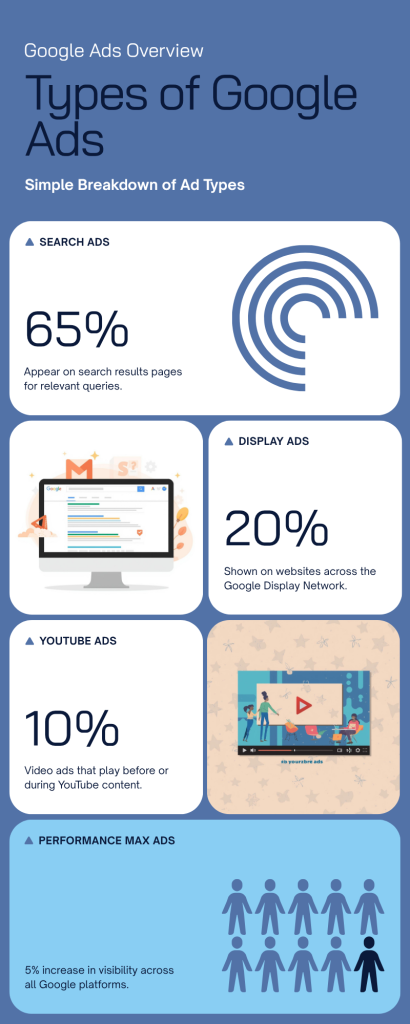
- Search Ads – Text ads that show up above or below organic Google search results when people actively search for what youoffer.
- Display Ads – Visual banner ads that appear on other websites in Google’s partner network. These often target people who’ve already visited your site or shown interest in similar products.
- YouTube Ads – Short video ads that play before, during, or after videos. You can target users based on what they’ve watched before or their browsing behaviour.
- Performance Max Ads – A campaign type that uses Google’s AI to deliver ads across all available platforms (Search, YouTube, Display, Gmail, Discover, Maps). You simply provide creatives, and Google tests different combinations automatically.
- Shopping Ads – For eCommerce businesses. These show product photos, prices, and store names directly in Google Search results when people look for specific items.
Tools and Features Within Google Ads
Google Ads offers several built-in tools to help advertisers plan and optimise campaigns:
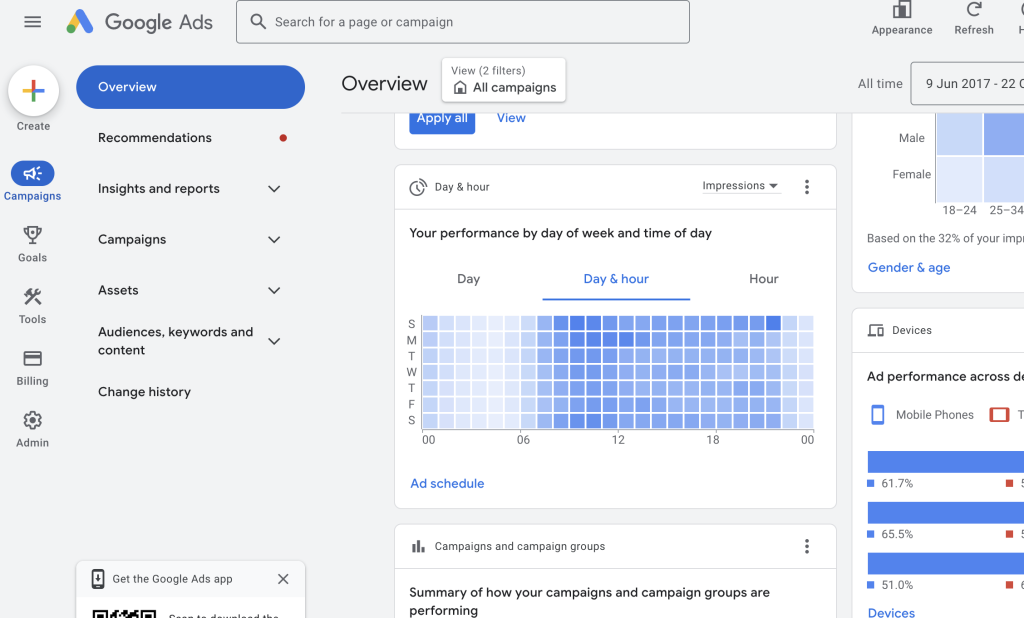
- Keyword Planner: Helps you find keyword ideas, see search volumes, and forecast potential traffic.
- Performance Forecasting: Estimates how your ads might perform based on your bids and budgets.
- Audience Insights: Shows demographic and interest data about people who engage with your ads.
- Ad Preview & Diagnosis Tool: Lets you see how your ad appears in search results without affecting performance.
- Recommendations Tab: Google’s AI-driven suggestions for budgets, keywords, and bid strategies (though not always accurate or useful — many advertisers find these suggestions too aggressive or broad).
What You Can Control
- Keywords: You choose the words and phrases you want your ads to show for. You can also exclude certain ones with negative keywords to avoid irrelevant clicks.
- Audience: You can refine who sees your ads based on demographics, location, interests, previous website visits, or customer lists.
- Budget: Set daily or monthly limits. Google’s system automatically tries to get the most results within your budget, though AI recommendations should be reviewed critically.
- Ad Copy: The text or visuals in your ad. You can test different versions to see what resonates best.
- Landing Page: The webpage people visit after clicking. A clear, relevant landing page often improves both conversions and your ad performance score.
Why Use Google Ads
Google Ads helps businesses appear when customers are already showing intent — searching for something specific. It’s measurable, flexible, and can be scaled quickly. You can see exactly what’s working, pause underperforming campaigns, and test new ideas. It’s particularly powerful for driving enquiries, bookings, or direct sales.
Advantages of Using Google Ads
Google Ads reaches customers at the exact moment they’re searching for your service. You can monitor and adjust performance in real time, and the reporting tools give you clear insight into which ads are driving results. It pairs perfectly with SEO, helping you appear in both paid and organic positions for maximum visibility.
However, success with Google Ads often involves trial and error. You’ll need to test, monitor, and refine your campaigns over time. It’s important to regularly check your reports — who’s clicking, which keywords perform best, and what’s wasting spend. Adding negative keywords and adjusting bids based on
How Things Are Changing – The AI Shift
AI is transforming Google Ads. With Search Generative Experience (SGE), Performance Max, and Smart Bidding, Google now uses machine learning to predict what will convert best and automate placements. While this can save time, it also means advertisers have slightly less manual control — you’re guiding the system rather than managing every keyword.
From what many advertisers have found, Google’s AI suggestions for budgets and strategy can sometimes be over-optimistic. They might push higher bids or broader targeting than necessary, so it’s wise to take them as guidelines rather than rules. In my opinion, Google Ads still works best for businesses with larger budgets that can sustain consistent testing and data collection. Smaller advertisers can still see results but may need to be more selective — focusing on high-intent keywords, remarketing, and continuous optimisation.
It remains a powerful platform for visibility and lead generation, but as AI shapes the landscape, success increasingly comes from combining human judgment with Google’s data — balancing automation with strategy.